

Part 1: Lock your BTC
Open testnet.writz.xyz and select Borrow in the menu, or Start on the home page. The app walks you through six steps, shown at the top as Step 1 of 6 to Step 6 of 6.Amount
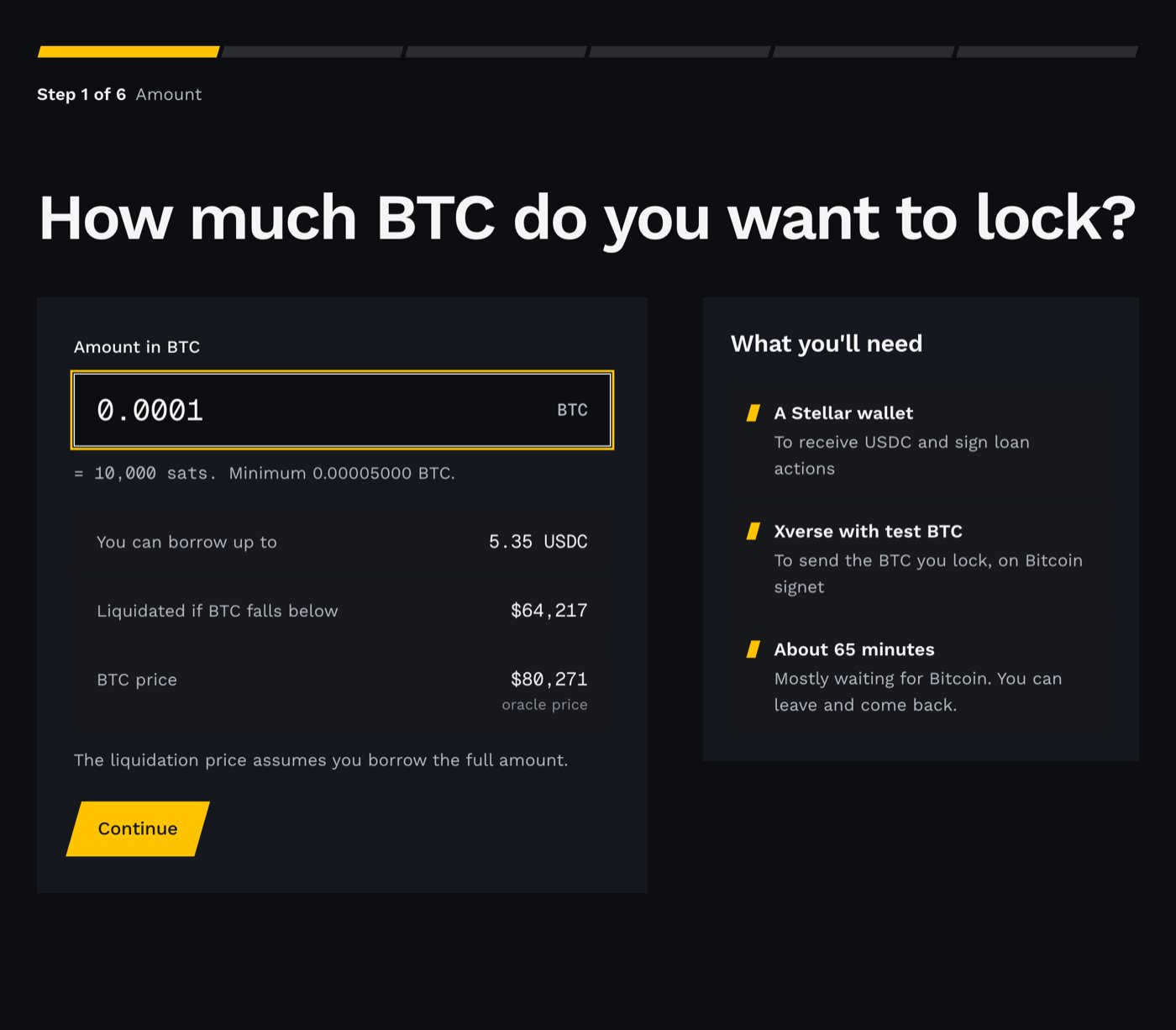
Step 1. With 0.0001 BTC you can borrow a few USDC at the current test price.
Stellar wallet
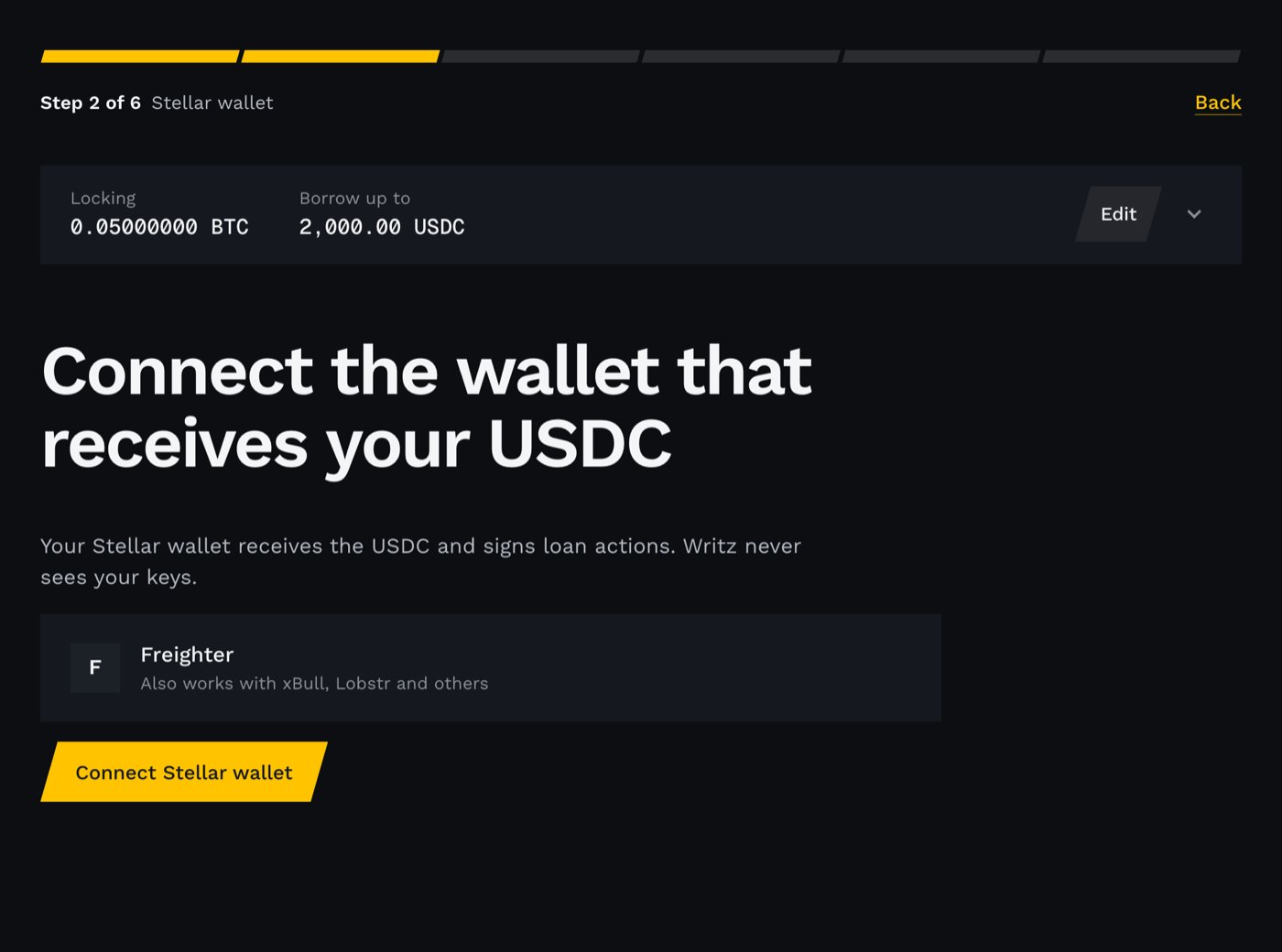
Step 2. Connect the wallet that receives your USDC.
Bitcoin wallet
- Wrong network: Xverse is not on signet. Switch it to Signet and select Connect Xverse again.
- Not enough BTC: the balance is below your amount. Use one of the faucet links shown, wait for the coins, then select Check balance again.
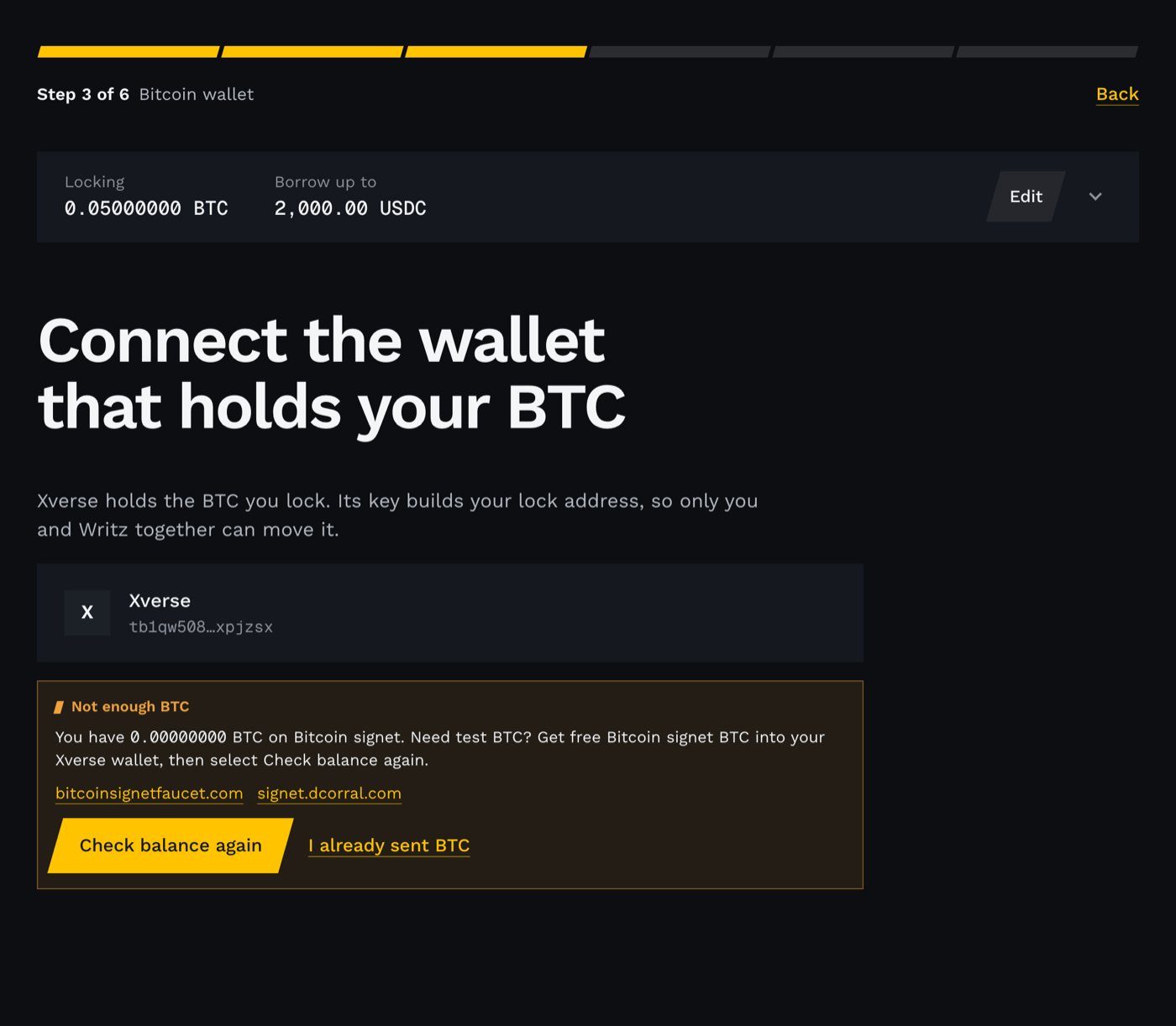
Step 3 when the balance is too low. The faucet links are right there.
Review and send
- You lock: the amount, plus the Bitcoin network fee.
- To your lock address: the Bitcoin address built from your Xverse key and Writz’s key. What is this? explains it.
- Release: Writz co-signs the release when your loan is repaid.
- Your way out: the block height (and rough date) after which your key alone can move the BTC, even if Writz is gone.
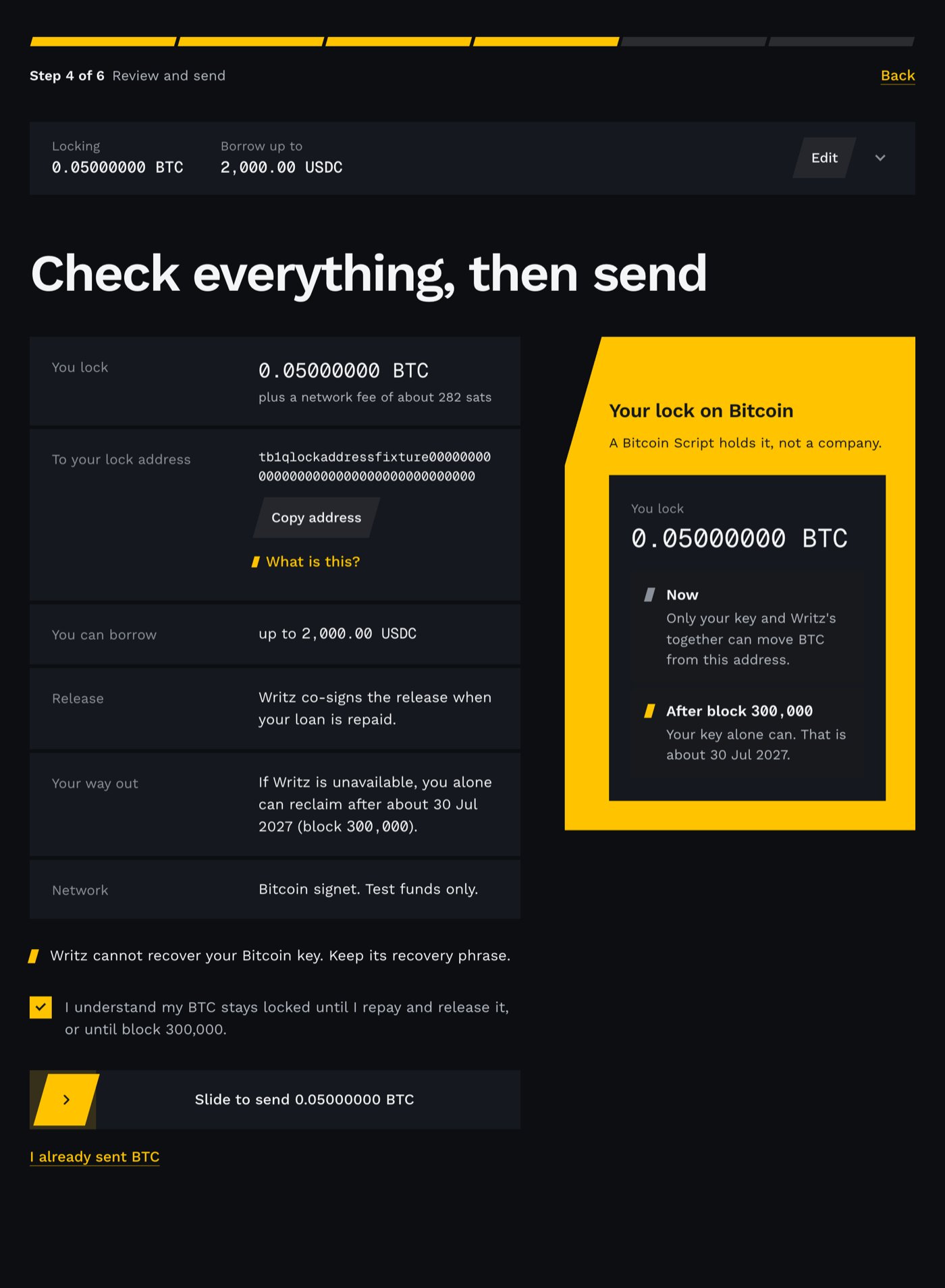
Step 4. Check the amount, the lock address and your way out, then slide to send. Example amounts and address.
Wait for Bitcoin
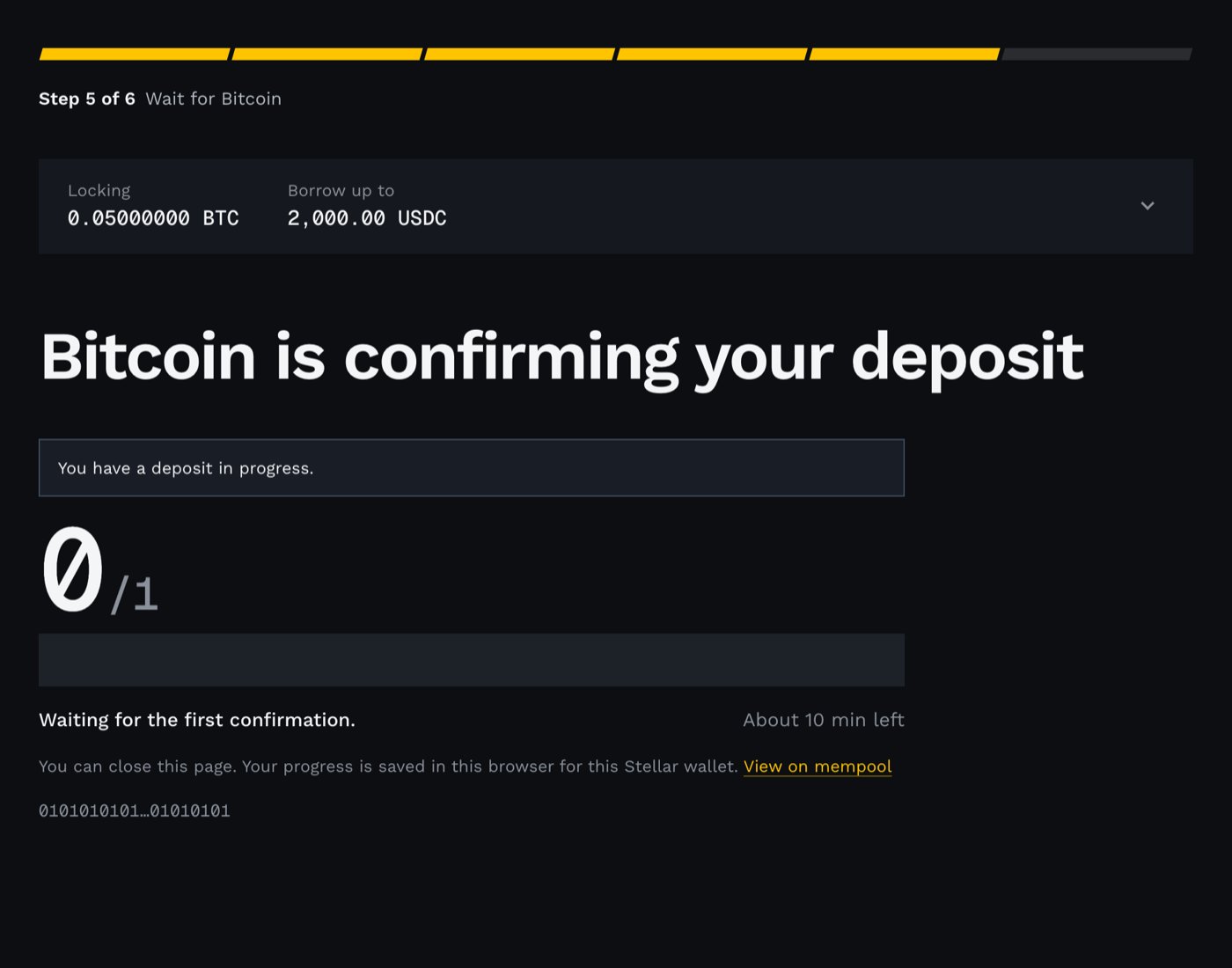
Step 5. Bitcoin signet blocks arrive about every 10 minutes.
Register on Stellar
- Confirm in Xverse. It signs a free message that proves the Bitcoin key is yours. No BTC moves and there is no fee.
- Confirm in your Stellar wallet. One transaction, with a fee of about 0.01 XLM.
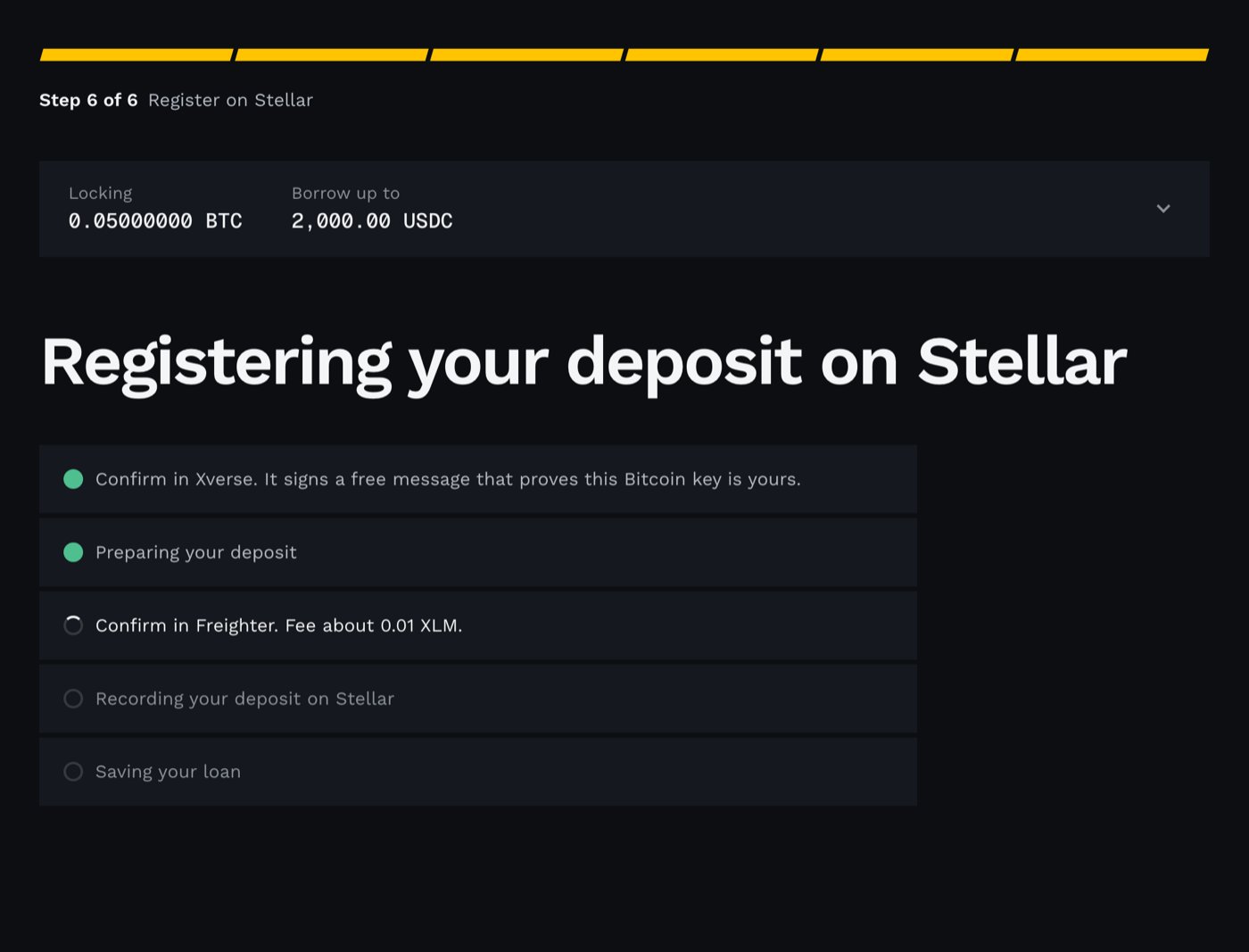
Step 6. A free message in Xverse, then one Stellar transaction.
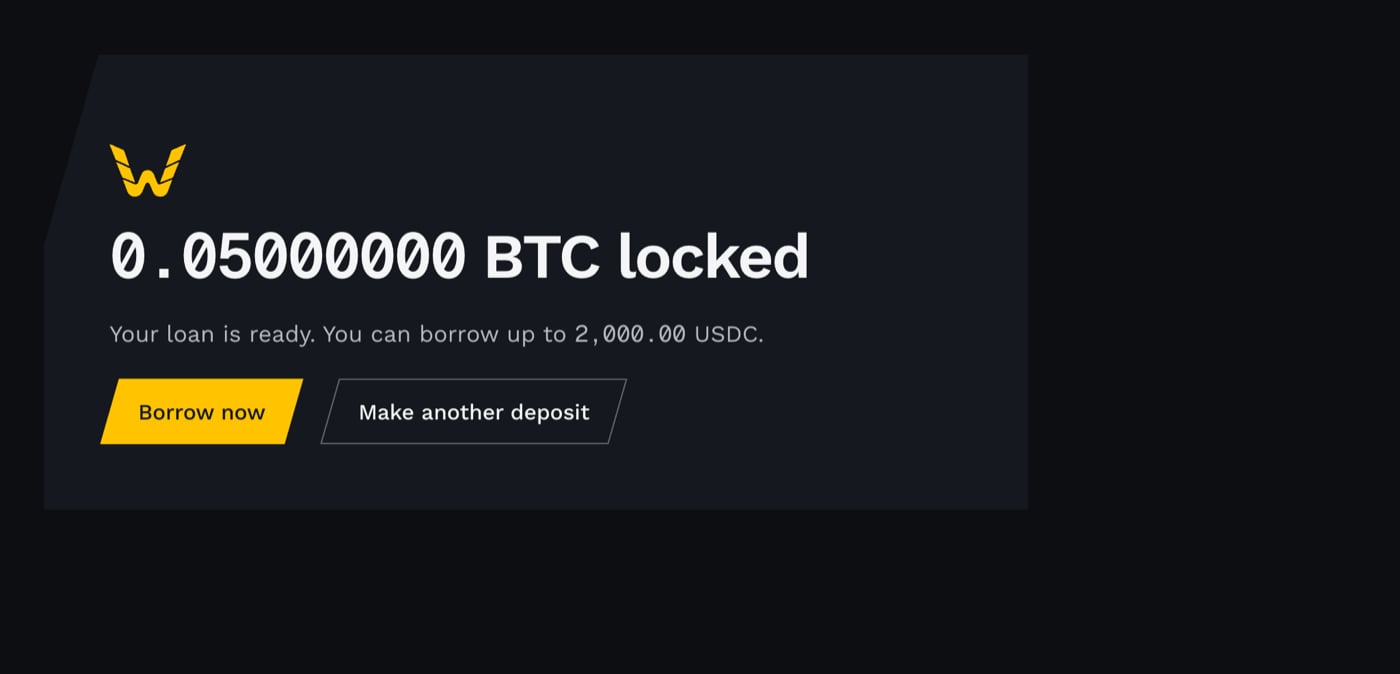
The deposit is registered. Example amounts.
Part 2: Borrow USDC
Add USDC, once
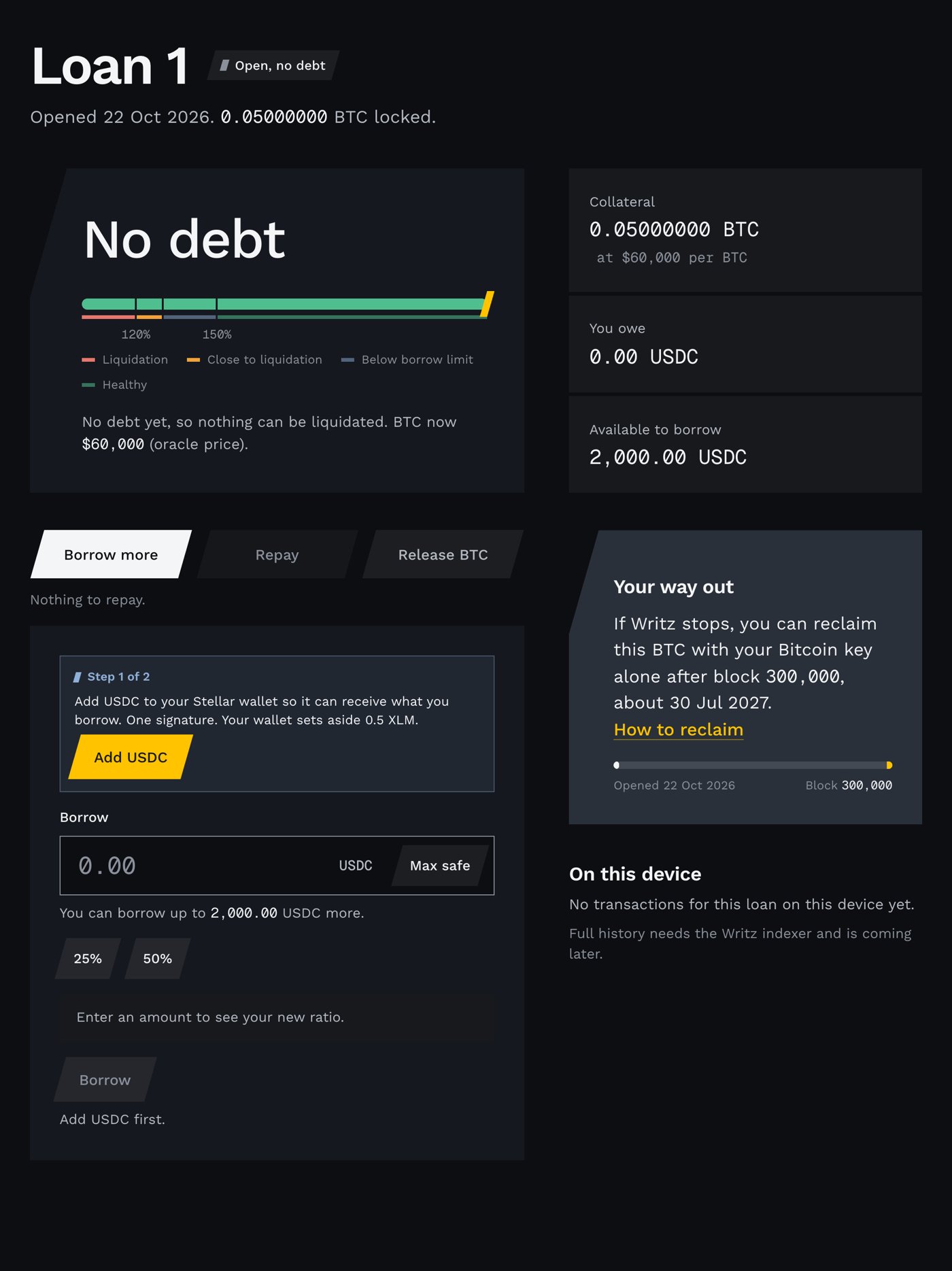
Only shown if USDC is not added to your account yet.
Choose an amount
Borrow
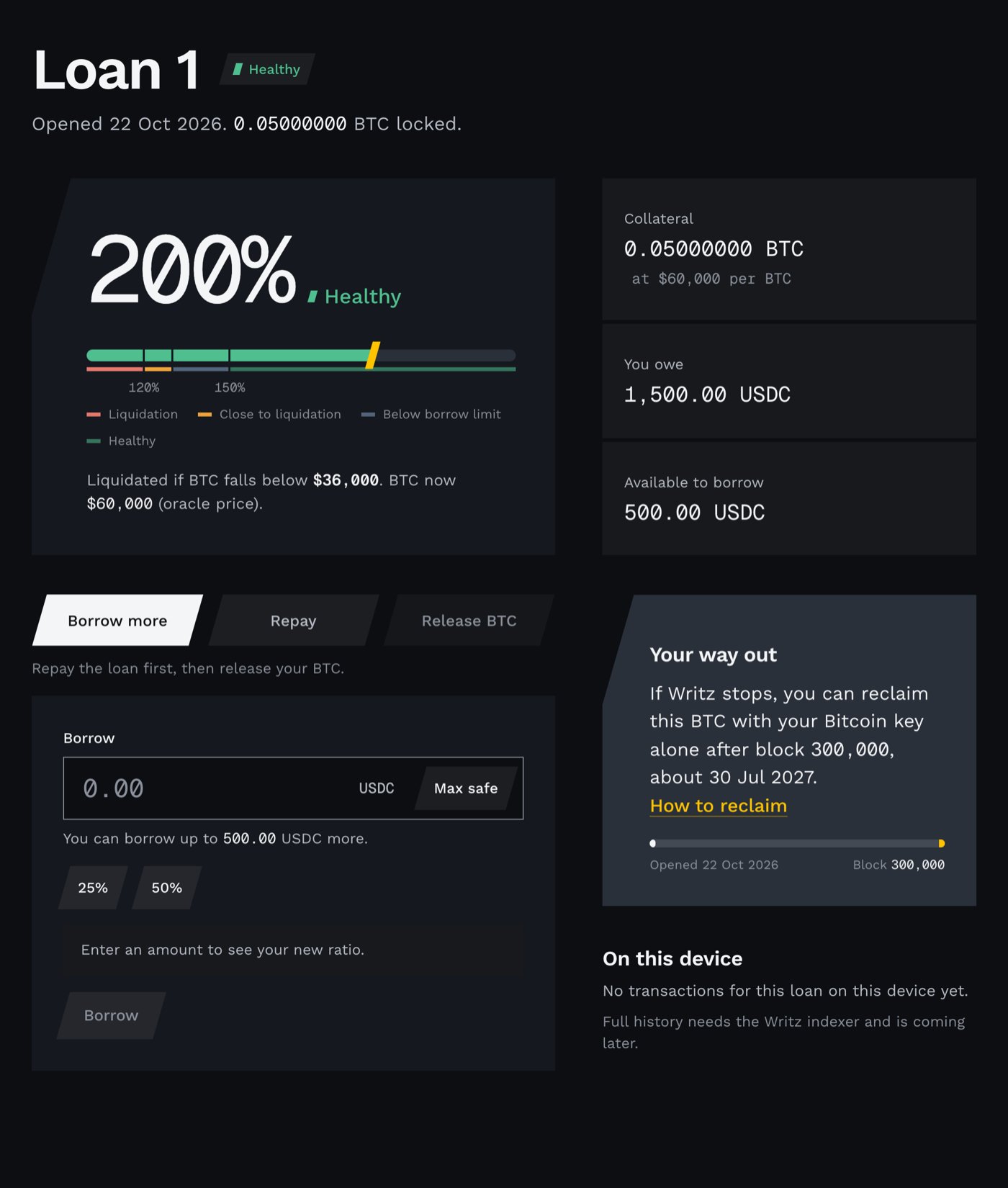
An open loan. The meter shows the collateral ratio; the tabs borrow more, repay and release. Example amounts.